

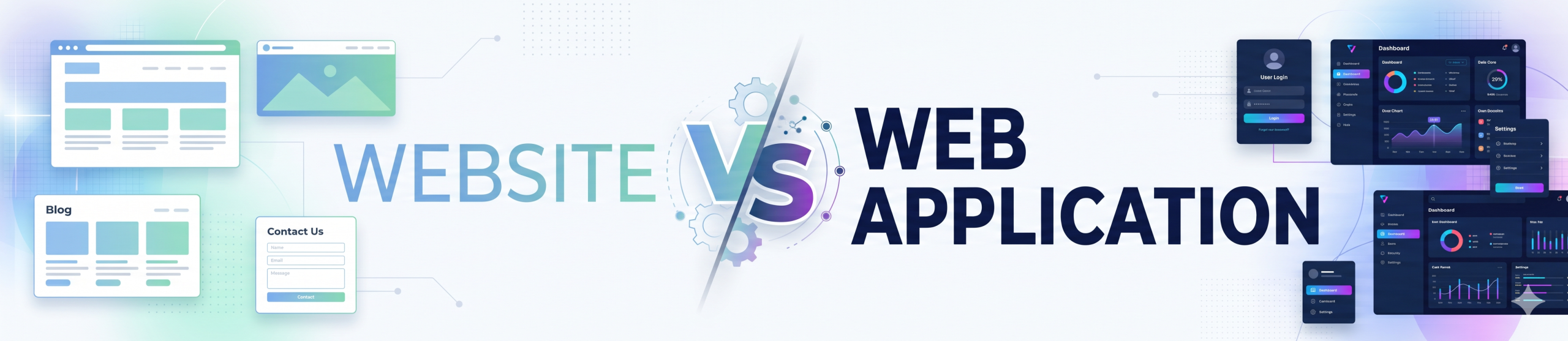
This guide covers website vs web application: what it means, how it works, the mistakes to avoid and how we approach it in real projects.
A website mainly presents information, such as a company profile, a blog or a catalogue, while a web application lets users log in and perform tasks, such as booking, ordering, managing accounts or running reports. Build a website when you need visibility and information; build a web application when you need interaction, data processing or workflows. Costs rise with logic, users and integrations.
Table of Contents
Key takeaways on website vs web application
- Websites inform; web applications let users do work.
- Web apps need databases, authentication, business logic and ongoing maintenance.
- Costs scale with complexity, integrations, security and scale.
- Many businesses start with a website and add application features in phases.
- Choose based on user goals, not on what sounds more advanced.
Simple definitions
A website is a collection of pages that mostly deliver content. Visitors read, watch and contact you. A web application behaves like software that runs in the browser: users sign in, enter data, trigger processes and see personalised results. Examples include dashboards, booking systems, customer portals, CRMs and learning platforms.
The line can blur, because modern sites include forms, carts and logins. The key difference is the depth of interaction and logic behind the interface.
Key differences
| Aspect | Website | Web application |
|---|---|---|
| Purpose | Inform, promote | Perform tasks |
| User interaction | Limited | High |
| Login and roles | Often none | Common |
| Database and logic | Light | Heavy |
| Security needs | Basic | Higher |
| Build effort | Lower | Higher |
| Maintenance | Content and updates | Features, bugs, scaling |
Cost drivers
A simple brochure site can often be built from templates in a short time. A web application needs analysis, design, back-end development, database design, testing, security and hosting for load. Costs rise with the number of user roles, integrations with payment, ERP or CRM systems, reporting needs and performance expectations. Always ask for phased estimates and a clear scope.
When to choose each
- Website: new business presence, lead generation, content marketing, product information.
- Web application: customer portals, internal tools, marketplaces, booking, subscription products.
- Both: a marketing website plus a login area for customers or staff.
How to plan the build
- List the tasks users must complete.
- Decide what can be solved with existing tools or plugins.
- Define must-have features for the first release.
- Choose technology and hosting for expected load.
- Plan security, backups and support.
- Launch, gather feedback and expand.
Common mistakes
Businesses sometimes commission a complex application when a good website and a few plugins would do, or they try to stretch a basic website into a business system that it was never designed for. Clarify the user tasks first. If your needs include roles, approvals, calculations or live data, plan for an application.
Typical features and examples
Examples help make the distinction concrete. A restaurant’s site that shows the menu, opening hours and a contact form is a website. Add online ordering with accounts, saved addresses, live order tracking, kitchen dashboards and loyalty points, and it becomes a web application. A school’s brochure site is a website; a portal where parents log in to see attendance, fees and report cards is a web application.
Content management systems blur the line. A WordPress site with a plugin for bookings may serve a small clinic perfectly well. If the clinic later needs doctor schedules, patient records, reminders and billing integrated with accounting, it probably needs a purpose-built application or a specialised platform.
Technology choices
Websites commonly use a CMS such as WordPress, a site builder or a static site generator. They are cost-effective, easy to update and well supported. Web applications usually rely on a framework such as React, Angular, Django, Laravel or Spring Boot, with a database, APIs and cloud hosting. The choice depends on the team’s skills, the complexity of the business logic, performance needs and the long-term roadmap.
Avoid being dazzled by technology fashion. A well-structured application in a mainstream framework is easier to maintain than an experimental stack that only one developer understands. Ask your provider how they will document the system and transfer knowledge.
Hosting, performance and scalability
A brochure website can run on modest shared hosting with a content delivery network for speed. A web application needs hosting sized to the number of concurrent users, with a database, background jobs, caching and monitoring. Plan for growth: how will the system behave with ten times as many users? Cloud platforms allow scaling, but only if the application is designed for it.
Include backups and disaster recovery in the plan. For applications that hold customer data, decide how quickly you must recover after a failure and test that you can.
Security and compliance
Every public site must have HTTPS, updated software and careful admin access. Web applications go further: strong authentication, role-based permissions, input validation, audit logs, encryption of sensitive data and regular security testing. If you handle payments, health records or financial data, check the relevant standards and legal requirements, and consider independent testing before launch.
Make privacy part of the design. Collect only what you need, explain how data is used and provide ways for users to access or delete their data in line with India’s data protection expectations.
Questions to ask before you commission
- What tasks must users be able to complete?
- Who are the user roles, and what can each see and do?
- Which existing systems must it connect to?
- What happens if it is unavailable for an hour or a day?
- Who will maintain it, and what will that cost?
- Can we launch a smaller version first?
Latest trend: web applications as operational front ends
More companies are building web applications as the front end of their operations. In our Digital Factory project we have implemented digital checksheets, work permits, safety workflows and a live dashboard, all delivered through accessible interfaces in phases with in-house support. It shows how an application can replace paper and scattered files. Vendors push low-code and AI builders; they can speed prototypes but still need clear requirements and governance.
Why website vs web application matters
A clear approach to website vs web application saves time, avoids costly rework and helps you decide with confidence. Whether you are a business owner, a manager or a student, the points above give you a practical starting position.
In summary, treat website vs web application as an ongoing practice rather than a one-time task: start small, measure the result, and improve every month. Good website vs web application decisions come from clear goals, honest data and steady follow-through.
Frequently asked questions
Is an e-commerce store a website or a web application?
It is a hybrid: public pages plus application logic for carts, accounts and orders.
Can I start with a website and upgrade?
Yes, with a plan for architecture and data so growth is smooth.
Which is more secure?
Web applications need stronger security because they handle accounts and data.
How long does a web application take?
From weeks for simple tools to many months for complex systems.
Where can I get help with website vs web application?
Our team can review your situation and suggest a practical plan for website vs web application. Contact us through the website to start a conversation.
Unsure whether you need a website or a web application? Contact our team for a scoping call. Ask us about website vs web application today.